
Accessing your BigSmall client area

Once you have purchased a hosting plan or a domain with us you can log in to your client area to view and interact with the products or your details.

1. Go to our homepage and click on the Account button in the top right-hand corner.


2. Enter the email and password you used when signing up with us.


3. You can now see your Dashboard from which you can navigate to Your Active Products/Services by simply clicking on them.
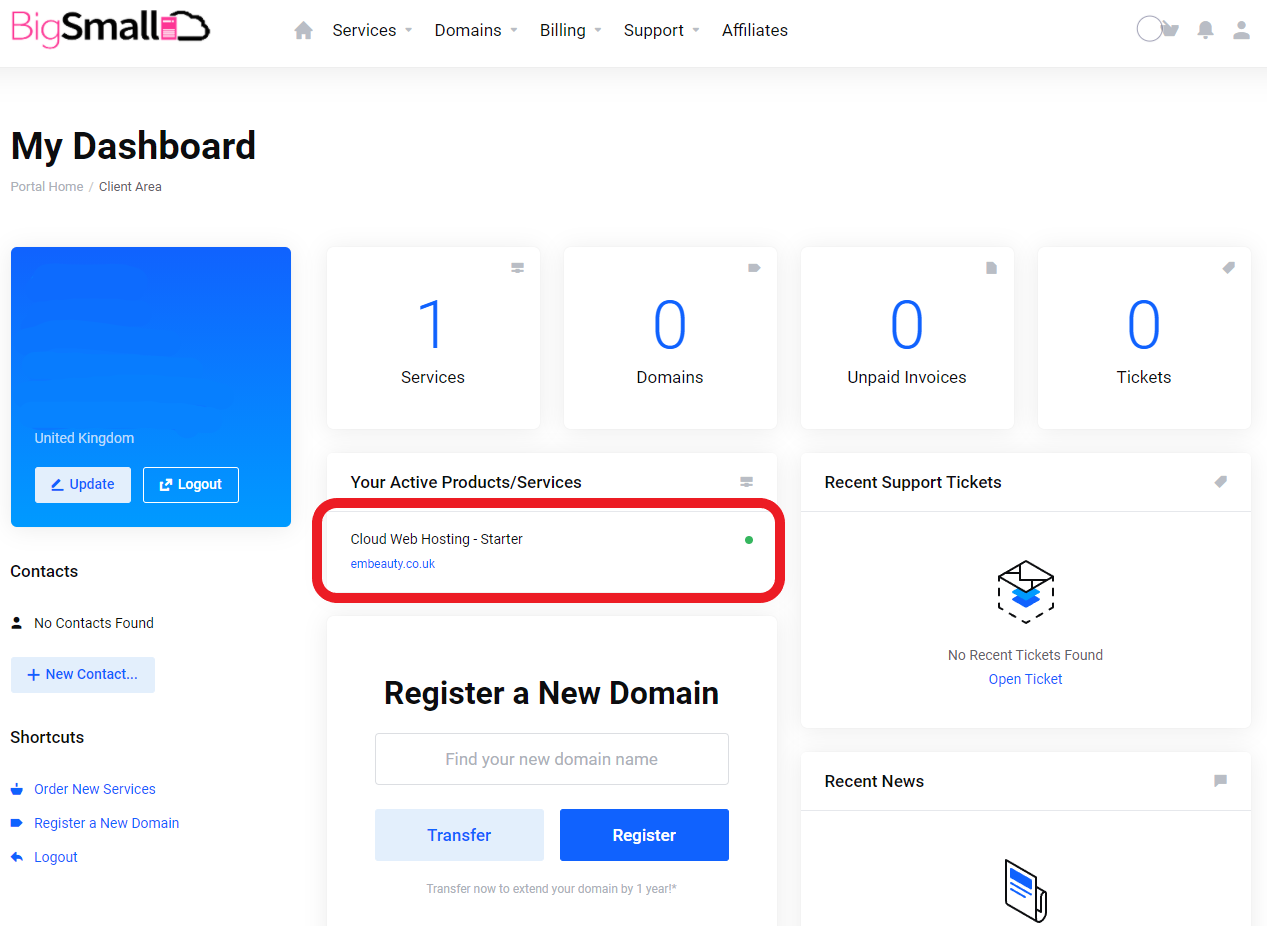
 

4. To Log Out or view/change any personal details, payment methods, or password please click on the Person Icon in the top right-hand corner.

  • client, client area, log, login, log in, start
  • 0 Bu dökümanı faydalı bulan kullanıcılar:
Bu cevap yeterince yardımcı oldu mu?

İlgili diğer dökümanlar

How to access cPanel for your hosting package and how to view your Private Name Servers

1. Log into your BigSmall client area.   2. Click on your hosting package under Your Active...

How to Download Full Backup / Restore Full Backups / Restore Email or Database?

Restore full account backup - from last 24H backup: 1. Log into your cPanel account. 2. In the...

Powered by WHMCompleteSolution